How to Change a Room Layout: A Step-by-Step Guide to Rearranging Furniture
Moving a sofa twice in one afternoon is how most people learn how to change a room layout — by trial, error, and a sore back. There is a better way. Good rearranging follows a handful of repeatable principles, and once you know them you can plan the whole thing before you touch a single piece of furniture. Better still, with Architectural AI you can preview new arrangements on a photo of your actual room, so the heavy lifting only happens once you already know it works.
This guide walks through how to rearrange furniture step by step, from the focal point out to the finishing rug — and shows where a quick preview saves you hours.
Start with the focal point
Every room has a natural anchor, and your layout should orbit it. In a living room that is usually the fireplace, the TV, or the biggest window with the best view. In a bedroom it is the bed; in a dining room, the table.
Decide on one primary focal point and orient the main seating or furniture toward it. The mistake to avoid is competing focal points — a TV on one wall and a fireplace on another pulling the room in two directions. Pick the winner, then arrange everything to support it. If you are unsure which anchor reads best in your space, upload a photo and test both orientations in the Redesign Layout demo before committing.
Map your traffic flow and walkways
Furniture is only half the layout — the paths between it matter just as much. Walk the room the way you actually use it: door to sofa, sofa to kitchen, bed to closet. Those routes need to stay clear.
A few working numbers to keep in mind:
- Major walkways (the main routes through a room): aim for 90–120 cm (36–48 in).
- Minor paths (squeezing past a chair): 60–75 cm (24–30 in) is the minimum.
- Coffee table to sofa: leave about 40–45 cm (16–18 in) — close enough to set down a cup.
If a layout forces you to shimmy sideways or detour around a corner, the floor plan is wrong, not your body. Block the walkways out first and let the furniture fill what is left.
Floating vs. against-the-wall furniture
The single biggest layout upgrade most people never try is pulling furniture away from the walls. Pushing everything to the perimeter feels space-saving, but in medium and large rooms it actually creates a dead, echoey middle and a ring of awkward gaps.
Floating furniture — a sofa with its back to the room, a pair of chairs angled inward — defines a conversation area and makes a big room feel intentional and cozy. Against-the-wall layouts genuinely belong in small or narrow rooms where every centimetre of walkway counts.
The trick is knowing which your room wants, and that is hard to judge by imagination alone. This is exactly where previewing pays off: in Architectural AI’s rearrange mode you can see a floated sofa on your real photo and instantly tell whether it opens the room up or just blocks the path. The same room reads very differently in a modern versus a cozier look, so it is worth seeing both.
Define zones within the room
Open-plan and multi-purpose rooms work best when you stop treating them as one big box and start carving out zones: a seating zone, a work nook, a reading corner, a dining spot.
Use furniture as the walls. The back of a sofa can divide living from dining. A bookcase or console can screen a home-office corner. A small rug under a chair and lamp instantly says “this is the reading zone.” Each zone should have a job and roughly face its own little focal point. For inspiration on how designers split real rooms, browse the room-by-room galleries in worlds and borrow the zoning ideas that fit your floor plan.
Use rugs to anchor each arrangement
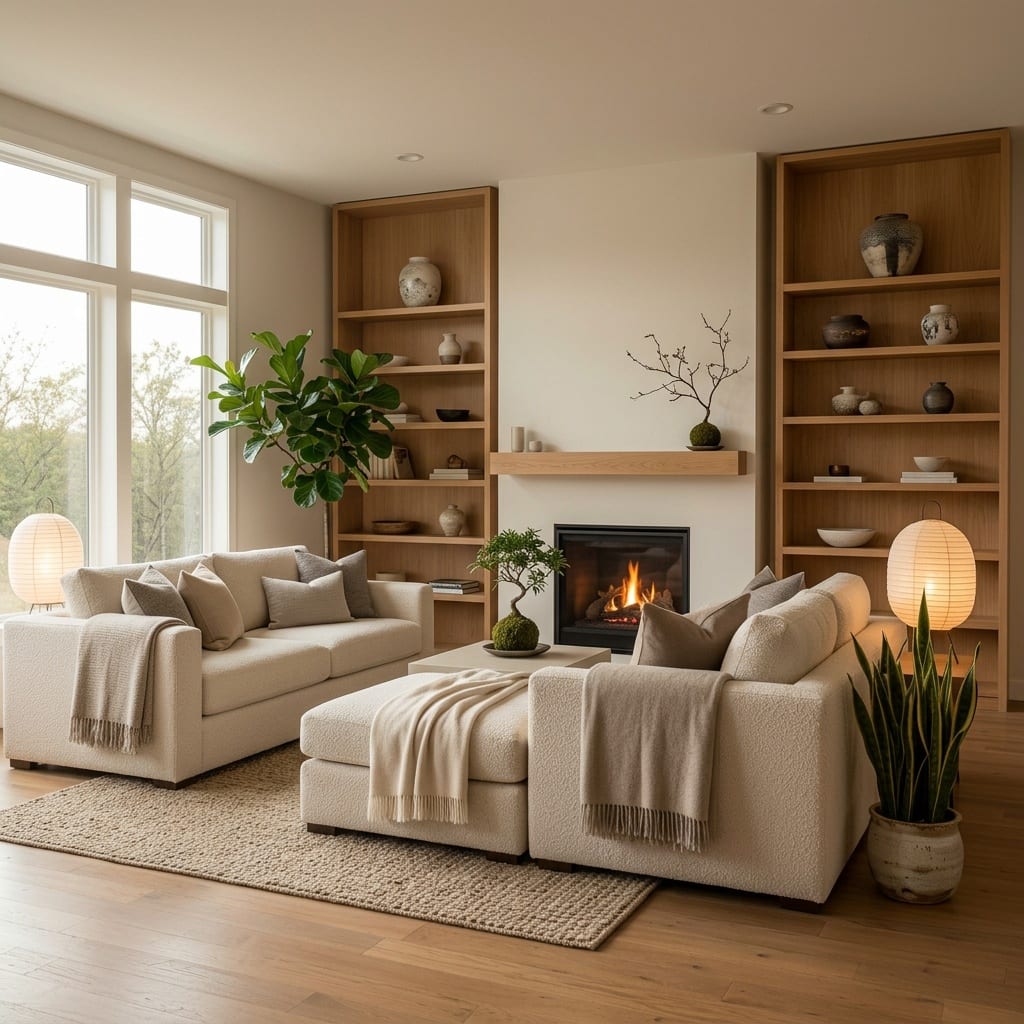
Rugs are the most underrated layout tool you own. A well-sized rug ties a furniture group together and visually fixes it in place; an undersized rug — the classic “stamp” floating in the middle — does the opposite and makes everything look unmoored.
The rule of thumb: get the front legs of all the main seating onto the rug. In a living room that usually means a rug at least 200 x 300 cm. Under a dining table, the rug should extend about 60 cm past the table edge on every side so chairs stay on it when pulled out. One rug per zone keeps your defined areas reading clearly.
Common layout mistakes to avoid
A quick checklist of the errors that quietly ruin otherwise good rooms:
- Everything against the walls in a room big enough to float furniture.
- Blocked sightlines and walkways — a tall piece interrupting the path or the view.
- The too-small rug that shrinks the whole arrangement.
- No focal point, so the eye has nowhere to land.
- Overcrowding — more furniture than the room can carry. When in doubt, remove a piece.
- Ignoring scale — an oversized sectional in a tiny room, or dainty chairs lost in a large one.
Most of these are obvious after you move the furniture and live with it. The whole point of previewing is to catch them before.
Test it before you lift a thing
Here is the part that changes everything: you do not have to drag furniture around to find out what works. Take one clear photo of your room, open Architectural AI, and use Redesign Layout / rearrange mode to generate new furniture arrangements on your actual space — same walls, same windows, same light, furniture moved.
You can compare a floated sofa against an against-the-wall version, test where a rug anchors the seating, and check that walkways still flow — all in a few taps, all without a sore back. Not sure whether a particular piece belongs at all? Ask the built-in assistant in Ask for a second opinion on your floor plan.
When you have found the arrangement that genuinely works, then you lift things — once. Start by uploading your room to the Redesign Layout demo, explore matching looks in the styles library, and read more room guides on the blog.
Ready to rearrange without the heavy lifting? Try Redesign Layout in the demo and preview your new room layout on a photo of your real space with Architectural AI.
Keep reading